
YouTube subscriber counts are public on many channels, but the identities behind those numbers are far less transparent. Creators often want to know who supports their work, while viewers may wonder whether subscribing quietly reveals their account. The answer depends largely on one privacy setting controlled by the subscriber.
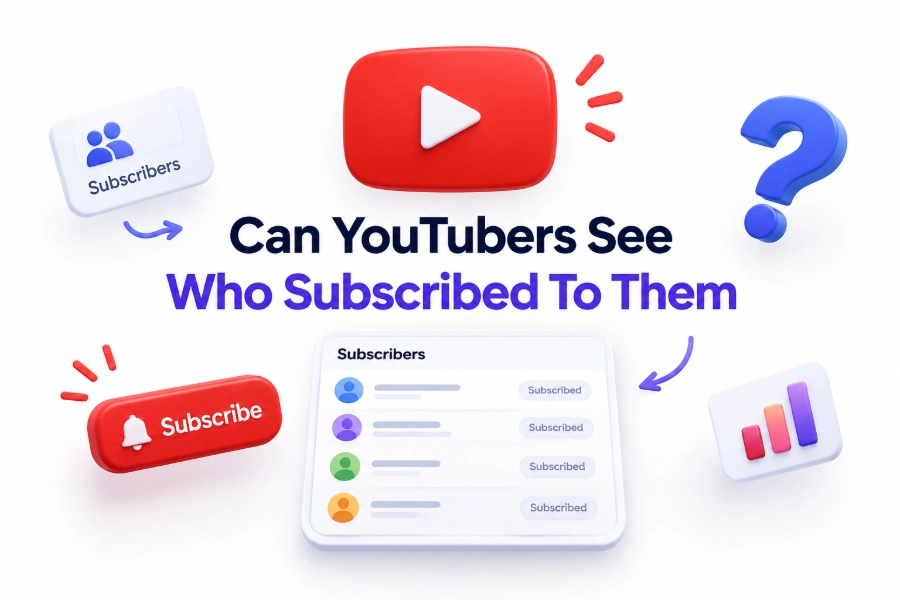
So, can YouTubers see who subscribed to them? Creators can view some recent subscribers through YouTube Studio, but they cannot access a complete list of everyone who has subscribed. Only subscribers who keep their subscriptions public can appear. Accounts with private subscriptions remain anonymous to the channel owner, even though they still increase the channel’s subscriber count.
This distinction matters for creators tracking audience growth, viewers protecting their privacy, and businesses evaluating channel performance. YouTube also limits the information creators receive about visible subscribers. Knowing what is available—and what is not—helps prevent common misunderstandings about notifications, subscriber lists, analytics, and third-party tracking tools.
Can YouTubers See Their Subscribers
YouTubers can see certain subscribers from the YouTube Studio dashboard. The Recent Subscribers panel displays eligible accounts that subscribed during a selected period. However, this feature does not provide a complete historical record or reveal every person included in the channel’s total subscriber count.
A subscriber appears only when their subscription privacy is set to public. If subscriptions are private, the creator sees the number increase but receives no identifying details. This rule applies whether the channel has ten subscribers or millions, making privacy settings more important than channel size.
Why Some Subscribers Remain Hidden
YouTube treats subscriptions as private by default in many situations. When a viewer’s subscriptions are private, channel owners cannot see that account in their subscriber list. The viewer may still watch, comment, like videos, and receive updates without publicly revealing the channels they follow.
Private subscribers are not removed from analytics. Their subscriptions still contribute to the displayed count and growth metrics, subject to YouTube’s verification processes. Creators simply cannot connect those subscriptions to specific usernames, profile images, comments, email addresses, or other personal account information.
Important facts about subscriber visibility
- A public subscription may appear in the creator’s Recent Subscribers list.
- A private subscription increases the total count without revealing the subscriber’s identity.
- Creators cannot change another user’s subscription privacy setting.
- YouTube does not provide creators with subscriber email addresses or private contact details.
- Subscriber visibility and video-viewing history are separate privacy matters.
- Unsubscribing may reduce the total count, but it does not always trigger a named notification.
- Third-party services cannot legitimately reveal subscribers YouTube keeps private.
What Creators Can View in YouTube Studio
YouTube Studio gives eligible creators a Recent Subscribers card on the dashboard. From there, they can open a larger subscriber view, select a time range, and review public accounts. The available entries may include the subscriber’s channel name, profile image, subscription date, and subscriber count.
The list is useful for identifying public supporters, finding fellow creators, and noticing patterns among recent followers. It should not be treated as a full customer database. The information is limited to what YouTube makes available and what each subscriber has chosen to display publicly.
How to Check Recent Subscribers
A creator can sign in to YouTube Studio, open the Dashboard, and locate the Recent Subscribers section. Selecting “See all” opens a more detailed list. Available filters may allow the creator to review subscribers from a specific period and sort the visible accounts.
The layout can vary between desktop and mobile interfaces, and some Studio features are easier to access from a desktop browser. If the visible list is much smaller than the total subscriber count, private subscriptions are usually the reason rather than a technical problem.
Quick checklist for creators
- Sign in to the correct YouTube channel.
- Open YouTube Studio rather than the regular viewing homepage.
- Find the Recent Subscribers card on the dashboard.
- Select the option to display the expanded list.
- Choose the relevant date range.
- Remember that only public subscribers can appear.
- Avoid assuming that a missing username represents a lost or invalid subscription.
- Compare subscriber changes with analytics for better context.
Information YouTubers Cannot Access
YouTubers cannot see a private subscriber’s name, email address, location, phone number, watch history, or browsing activity simply because that person subscribed. A subscription creates a connection inside YouTube, but it does not give the creator access to the viewer’s private Google Account data.
Creators also cannot see exactly which subscriber watched every video. Analytics may report aggregated details such as geography, age ranges, returning viewers, and watch time when enough data is available. These reports are designed to show audience patterns without exposing individual viewing behavior.
Whether Creators Receive Subscription Notifications
YouTube may notify a creator when someone with public subscriptions joins the channel, although notifications are not guaranteed to arrive for every subscription. Notification behavior can depend on the creator’s settings, YouTube’s systems, device preferences, and how the subscriber’s account is configured.
When a private user subscribes, the creator normally sees only a numerical change. No reliable notification identifies that person. Subscriber totals can also update with delays, so creators should avoid matching a count increase to a particular comment, like, or recent viewer.
Public and private subscriptions compared
Public subscription
Visibility to creator: The account may appear in Recent Subscribers.
Effect on subscriber count: The subscription increases the channel total.
Profile information: Public channel details may be visible.
Email address: Not provided to the creator.
Viewing history: Not provided to the creator.
Private subscription
Visibility to creator: The account does not appear in Recent Subscribers.
Effect on subscriber count: The subscription still increases the channel total.
Profile information: Not connected to the subscription.
Email address: Not provided to the creator.
Viewing history: Not provided to the creator.
How Subscription Privacy Settings Work
YouTube users can control whether other people can see the channels they subscribe to. When the privacy option is enabled, subscriptions remain private. This prevents creators and ordinary visitors from opening the user’s channel page and reviewing a public list of followed channels.
Changing the setting affects future visibility and may also change whether existing subscriptions can be associated publicly with the account. Because menus can differ by device, users may find subscription privacy controls more easily through YouTube’s desktop settings than through certain versions of the mobile app.
How Viewers Can Keep Subscriptions Private
Viewers who value privacy should open YouTube’s settings, locate the Privacy section, and enable the option that keeps subscriptions private. They should confirm the setting while signed in to the correct Google Account, especially when several accounts or Brand Accounts are used on one device.
Private subscriptions do not prevent viewers from receiving channel updates. Notification delivery depends on the subscription bell and broader YouTube notification settings. A user can therefore follow a channel, enable alerts, and remain absent from the creator’s visible subscriber list.
Privacy tips for YouTube viewers
- Review subscription privacy settings from the account you actively use.
- Check each account separately if you switch between multiple Google profiles.
- Keep subscriptions private when you do not want channels listed publicly.
- Remember that public comments remain visible even when subscriptions are private.
- Use the notification bell independently of subscription visibility.
- Review your channel profile to see what other visitors can access.
- Avoid third-party extensions that request unnecessary Google Account permissions.
- Read this [Internal Link: YouTube Privacy Settings] resource for additional account-safety guidance.
The Difference Between Subscribers and Channel Members
Subscribers follow a channel at no cost and may receive new-video notifications. Channel members, where available, pay a recurring fee for benefits such as badges, custom emojis, exclusive posts, or members-only videos. The creator receives more operational information about memberships than ordinary subscriptions.
Membership is not anonymous in the same way as a private subscription. A member’s public channel identity and membership activity may be visible to the creator and community, particularly when badges appear beside comments or live chat messages. Payment details, however, remain handled through YouTube’s payment systems.
Visibility During Comments and Live Chats
A private subscriber can still reveal their channel identity by posting a comment or joining a live chat. The creator can see the public account name and profile associated with that activity, but cannot automatically confirm the person’s subscription status merely from a standard comment.
Live chat may display membership badges or other public markers, depending on the viewer’s status and settings. Ordinary subscribers do not always receive a visible badge. Commenting and subscribing are separate actions, so privacy-minded viewers should consider both their subscription settings and public participation.
Subscriber, commenter, and member differences
Subscriber: Follows the channel and may appear in the subscriber list if subscriptions are public.
Private subscriber: Follows the channel but remains absent from the creator’s visible subscriber list.
Commenter: Reveals a public channel identity through a posted comment, regardless of subscription privacy.
Live chat participant: Displays a public channel identity while participating in a stream or premiere.
Channel member: May display a membership badge and receive paid benefits offered by the creator.
Viewer: Can watch public videos without subscribing or publicly interacting.
How Subscriber Analytics Help Creators
YouTube Analytics offers more useful business insight than a list of usernames. Creators can examine subscriber gains and losses, traffic sources, audience retention, returning viewers, watch time, and the videos that persuaded people to subscribe. These patterns support better editorial decisions without compromising individual privacy.
For example, a cooking channel may notice that short meal-preparation videos generate more subscriptions than equipment reviews. The creator can respond by producing more practical recipes. This data-led approach is usually more valuable than knowing the account names of a small portion of public subscribers.
Using Subscriber Data Responsibly
Responsible creators treat subscriber information as audience insight rather than an invitation for unsolicited contact. A visible subscriber has made their subscriptions public, but that does not necessarily mean they want promotional messages, personal outreach, or attention in a video without permission.
Creators should rely on aggregate analytics, voluntary email sign-ups, surveys, and community posts when collecting feedback. If a business needs contact information, it should use a clear consent-based form. Our [Internal Link: YouTube Channel Growth Strategies] article offers additional ways to build engagement without intruding on viewers.
Useful analytics for channel growth
- Subscribers gained by individual video
- Subscribers lost during selected periods
- New viewers compared with returning viewers
- Audience retention at key moments
- Watch time from subscribers and non-subscribers
- Traffic from search, suggested videos, and external websites
- Videos that attract repeat viewing
- Posting times associated with stronger early engagement
Can Third-Party Tools Identify Hidden Subscribers
No legitimate analytics service can reveal private subscribers that YouTube itself withholds. Tools connected through authorized YouTube data access can organize permitted channel information, but they cannot bypass another user’s privacy settings. Claims that promise a secret list of hidden subscribers should be treated skeptically.
Suspicious tools may request account passwords, excessive Google permissions, downloads, or payment before displaying fabricated results. Creators should use established analytics platforms and review every permission request carefully. Protecting channel access is far more important than obtaining an incomplete list of subscriber names.
Common Subscriber Count Discrepancies
Subscriber totals may fluctuate because people subscribe or unsubscribe, YouTube removes spam accounts, or different pages update at different speeds. Public counts may also be abbreviated, while YouTube Studio provides creators with more detailed figures. Small temporary differences are therefore normal and not proof of hidden activity.
Creators sometimes compare a third-party tracker with Studio and assume someone has manipulated the channel. Usually, the services refresh at different intervals or rely on publicly displayed data. YouTube Studio should be treated as the primary source for channel performance and verified account information.
Warning signs of unsafe subscriber tools
- Promises to reveal every private subscriber
- Requests for your Google password outside an official sign-in page
- Demands for broad permissions unrelated to analytics
- Requires unverified software or browser extensions
- Guarantees instant subscribers in exchange for payment
- Claims to expose private viewer histories or email addresses
- Uses urgent messages to pressure creators into connecting accounts
- Provides totals that cannot be checked against YouTube Studio
What Happens When Someone Unsubscribes
When a viewer unsubscribes, the channel’s subscriber total generally decreases after YouTube processes the change. Creators do not receive a dependable notification naming the person who left. Even if the user originally appeared as a public subscriber, the creator may not easily identify that specific departure.
Daily totals can also reflect several actions at once. Five new subscriptions and three cancellations may appear as a net gain of two. For accurate evaluation, creators should examine trends across weeks or months instead of reacting to each small movement in the displayed number.
Why Subscriber Names Matter Less Than Engagement
A large subscriber count can improve social proof, but active viewing matters more for sustainable channel growth. Subscribers who rarely watch contribute little to retention, watch time, comments, or revenue. A smaller, interested audience often produces stronger results than a large group of inactive accounts.
Creators should focus on useful videos, clear titles, relevant thumbnails, consistent publishing, and honest audience interaction. These practices encourage repeat viewing and voluntary subscriptions. They also reduce the temptation to chase private subscriber identities that provide limited value for content planning or community building.
Healthy channel-growth priorities
- Publish videos that answer a specific audience need.
- Review retention data to identify weak introductions or slow sections.
- Use accurate titles and thumbnails that set clear expectations.
- Invite subscriptions without pressuring viewers.
- Reply to thoughtful comments when practical.
- Track long-term trends instead of daily fluctuations.
- Build an optional email list with clear consent.
- Protect account access with strong security and two-step verification.
Conclusion
YouTube gives creators a limited view of the people who follow their channels. Public subscribers may appear in YouTube Studio with basic channel information and a subscription date, while private subscribers contribute to the total without revealing their identities. Creators cannot access subscriber email addresses, private Google Account details, personal viewing histories, or a guaranteed record of individual cancellations.
For viewers, the privacy setting determines whether a subscription can be connected publicly to their channel identity. Comments, live chats, and memberships may still reveal a public profile even when ordinary subscriptions remain private. For creators, aggregate analytics provide better direction than a partial list of account names because they show which videos attract, retain, and convert an audience.
Ultimately, the answer to can YouTubers see who subscribed to them depends on the subscriber’s privacy choice. YouTubers can view some public subscribers, but they cannot uncover everyone. Both creators and viewers benefit from knowing this limit and using YouTube’s privacy and analytics tools responsibly.
FAQ
Can a YouTuber see my name after I subscribe?
A creator may see your YouTube channel name if your subscriptions are public. If your subscriptions are private, your account will not appear in the creator’s recent subscriber list, although the total count still increases.
Can YouTubers see subscribers with private accounts?
No. YouTubers cannot identify subscribers whose subscription activity is private. They can see the numerical increase in YouTube Studio, but YouTube does not connect that increase to the private subscriber’s channel name or personal information.
Does YouTube notify creators when someone subscribes?
YouTube may notify creators about eligible public subscriptions, depending on notification and account settings. Private subscriptions do not produce an identifying alert. Notifications can also be delayed or omitted, so they are not a complete subscriber record.
Can a creator see when I unsubscribe?
Creators can see subscriber losses in aggregated analytics, but they generally cannot see exactly who unsubscribed. The total may decrease after processing, while Studio reports show net changes across videos, dates, and selected periods.
Can YouTubers see subscriber email addresses?
No. A standard subscription does not disclose the viewer’s email address to the creator. Email contact is available only when a person shares it voluntarily, such as through a form, business inquiry, purchase, or newsletter registration.
0 Comments